


Autonomous industrial inspection.

1 anomaly · reported
Runs on Unitree Go2, Go2-W or A2, with native support.
Doghouse recommended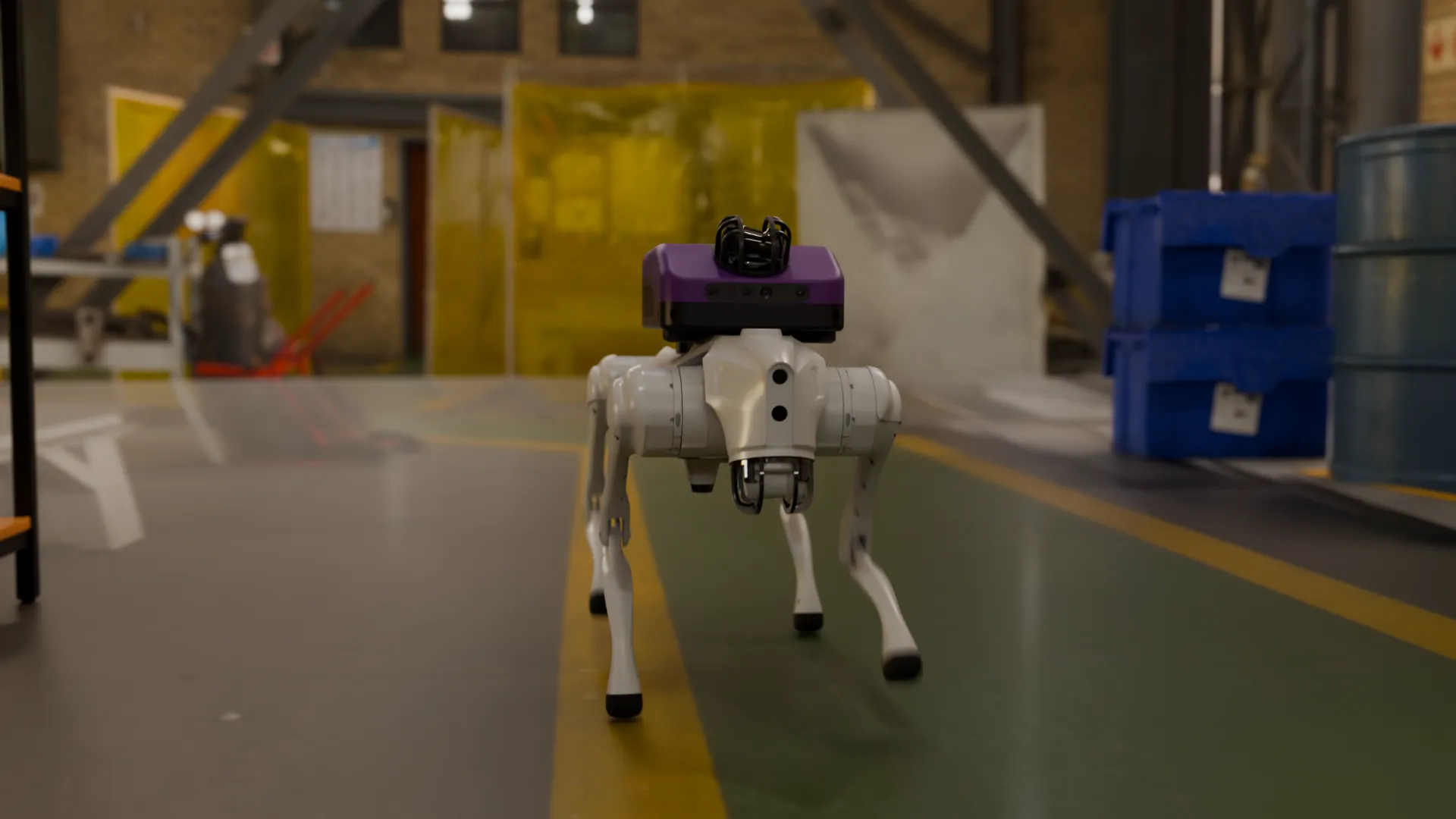
BotBot Industry
Every mission recorded.
Build the mission. Watch it run.
Missions are built in Flows, block by block. Switch the checks on or off, add the thermal check with CamCam and press Run: the robot walks the round on its own and writes the report as it goes.

- Start
- Report and return to dock
Mission report
Run the mission: each check is written here as the robot makes it.
A mission, block by block.
In Flows a mission is a stack of blocks, and each chapter here is one of them. Change the plant in any chapter and see what the robot notices. The report at the end lists it all.
Read the panel
Reads gauges, lights and valves.
At each stop the robot looks at the panel the way a technician would: the needle of a gauge, the numbers on a display, the colour of a status light, the position of a switch or a valve.
It reads
- Discharge pressure4.2 bar
- Status lightAmber
- Valve V-11Open
- Valve V-12Open
- Valve V-13Closed
Try it: tap a valve, the status light or the gauge.
Ask anything, act on it.
Ask about what the robot saw and it answers from the latest reading. In a flow, the answer decides the next step.
Is valve V-13 closed?
Yes. V-13 is closed.
Lever across the pipe
Added to the report
What it reads
Analog gauges, displays with numbers, status lights, switch positions and valve positions.
Checked against what you expect
Each reading is compared with the state you set for it in the flow. What does not match is flagged.
Safety round
Safety rounds.
The same mission checks what a safety walk checks: the fire door is shut, the extinguisher is where it belongs. It also watches for what should never be there: a spill on the floor, a fire.
Checks
Emergencies
Try it: open the door, take the extinguisher away, spill something.
Emergencies do not wait
A spill or a fire is reported the moment the robot sees it, not at the end of the mission.
PPE check
PPE inspection.
On its way the robot checks that the people it meets wear what the area requires: hard hat, eye protection, ear protection and hi-vis clothing.
- Hard hatWorn
- Eye protectionMissing
- Ear protectionWorn
- Hi-vis vestWorn
The robot says
“Please wear eye protection.”
Supervisor notified
Try it: take an item off.
It says so, out loud
The robot speaks to the person through BotBrain's speakers.
And it tells the supervisor
The same finding goes to the supervisor and into the report.
Add-ons
Add payloads when you need them.
The inspection runs on BotBrain Pro alone. Two payloads add to it, on the same robot, one at a time.

BotBrain Pro alone: navigation, the cameras and the AI that read the plant, speakers and microphones.
Thermal checkCamCam
Thermal with CamCam.
With CamCam on board the mission also reads heat. A motor running hotter than the limit you set is flagged.

- Motor 142 °C
- Motor 278 °Climit 70 °C
You set the limit
Each motor has its own limit in the flow. Above it, the reading is flagged and reported.
Parts runDelivery Payload
Parts and tools, delivered.
With the Delivery Payload the same robot carries tools and parts from the stores to the technician at the machine, in a compartment that locks.

Alert the team
Anomalies, reported.
A finding does not wait for the end of the mission. The control room sees it as it happens, and the anomaly report goes out by email.
Anomaly14:32
- Status light · Amber
- Eye protection · Missing
- Motor 2 · 78 °Climit 70 °C
Report sent · Email · BotBot software
BotBot FlowsAnomaly report
Report attached (PDF)
Control room
A live alert in the BotBot software, beside the robot's own view.
Email
The anomaly report, sent to the people who need to act on it.
API and SDK
The same event in the maintenance or safety system you already use.
Report
Reports, ready to share.
Every mission ends in a report: what was checked, what was found and when. This one follows the plant as you left it in the chapters above.
Mission report
Inspection mission 12
Saved on the BotBrain
15 checks12 OK3 flagged
Control panel
- Discharge pressure4.2 bar
- Status lightAmber
- Valve V-11Open
- Valve V-12Open
- Valve V-13Closed
Thermal check
- Motor 142 °C
- Motor 278 °Climit 70 °C
Safety round
- Fire doorClosed
- ExtinguisherIn place
- FloorClear
- FireNone
PPE check
- Hard hatWorn
- Eye protectionMissing
- Ear protectionWorn
- Hi-vis vestWorn
Available as
- CSV
- BotBot software
- API and SDK
Every mission recorded. Images and recordings are saved on the BotBrain.
One system, ready to inspect.
BotBot Industry is BotBrain Pro on a Unitree quadruped, set up for inspection missions. Add the Doghouse and it charges itself between missions. Add a payload when the job needs one.

- The brainBotBrain ProNavigation, the cameras and the AI that read the plant, speakers and microphones, and the link to your team.

- The legsUnitree Go2, Go2-W or A2Three Unitree quadrupeds with native support. Choose the one that fits your site.

- The baseRecommendedDoghouseA shelter with a charging dock inside. The robot leaves for the mission and docks itself afterwards, day or night.

- Add-onOptionalCamCamThermal and infrared imaging, for temperature checks on motors and equipment.

- Add-onOptionalDelivery PayloadA lockable compartment, for carrying tools and parts across the site.

Larger site? Add robots, and BotNet to keep them connected.See BotNet
For sites that run on rounds.
Wherever someone walks a route with a checklist, the robot can walk it for them and bring back the same record every time.
- Factories and process plantsControl panels, valves and machinery on a fixed route.
- Energy and utilitiesPump rooms, plant rooms and substations, with thermal checks.
- Warehouses and logistics hubsFire doors, extinguishers and aisles checked on every mission.
- Construction sitesPPE and safety checks where the crew is working.
One robot, more than one job.
Every BotBot solution is the same BotBrain, software and infrastructure, with the payload its job needs.
All solutionsTell us what you need inspected.
The most useful starting points are the site, the route, what the robot should read or check at each stop, who should be alerted and where the report should go.
São Paulo, Brazil
Av. Brigadeiro Faria Lima, 1461Pinheiros, São Paulo, SP
Lisbon, Portugal
Praça Marquês de Pombal, 14Lisboa
Let's discuss your use case
[email protected]